Part 2: Make and Keep Secrets
Chapter 17: Split Beta
Beta. Split is in public beta testing. Its wording and extra features may change. If something doesn't work as described, please tell us through the Contact & Bug Reports form.
What it does. Split turns one secret, such as a master password or a recovery phrase, into several shares. You choose how many shares to make, and how many are needed to get the secret back. With enough shares, the secret is rebuilt. With fewer, the shares reveal nothing at all. Everything happens on your device.
When to use it.
Backing up your Vault master password, so forgetting it doesn't lock you out for good.
Making sure family can reach an important password if something happens to you, without any one person holding it alone.
Keeping a two-factor setup key or a crypto recovery phrase safe in more than one place.
The page has two tabs: Split a secret and Rebuild from shares.
Splitting a secret
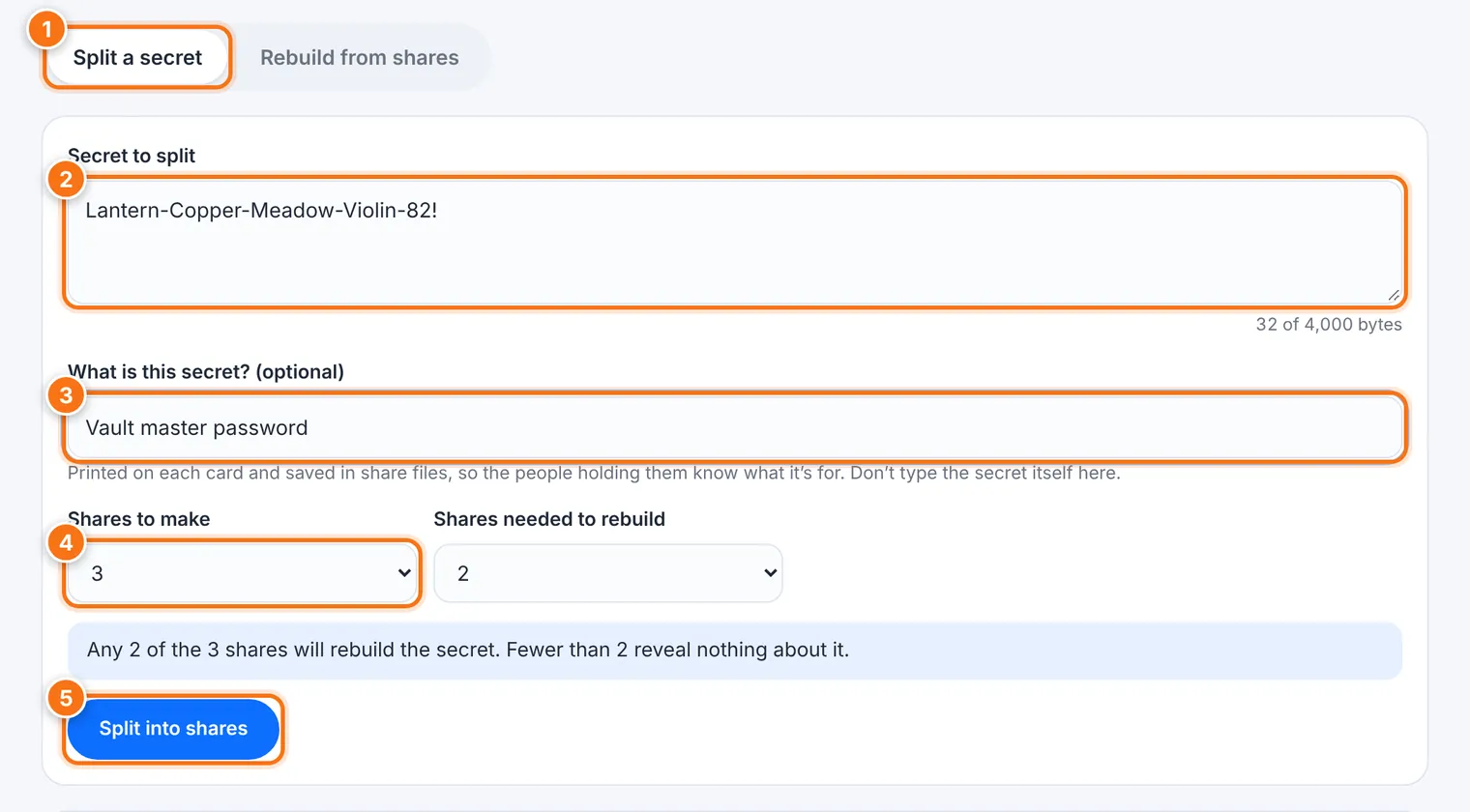
Choose the Split a secret tab.
Type or paste the Secret to split. A counter shows how much room is left (up to 4,000 bytes).
If you like, fill in What is this secret?, such as Vault master password. It's printed on each card so the holders know what it's for. Don't type the secret itself here.
Choose Shares to make (up to 10) and Shares needed to rebuild (at least 2). The page explains your choice in plain words, such as Any 2 of the 3 shares will rebuild the secret.
Press Split into shares.
Split tests every possible group of shares to make sure each one rebuilds your secret. Then it clears the secret from the page.
Under Your shares, you can add who each share is Given to. Then Print share cards, use Save all as files, or Copy code for one share.
Clear everything when you're done.
Each printed card shows the share code, a QR code of the same code, the set, how many shares are needed, and how to rebuild.
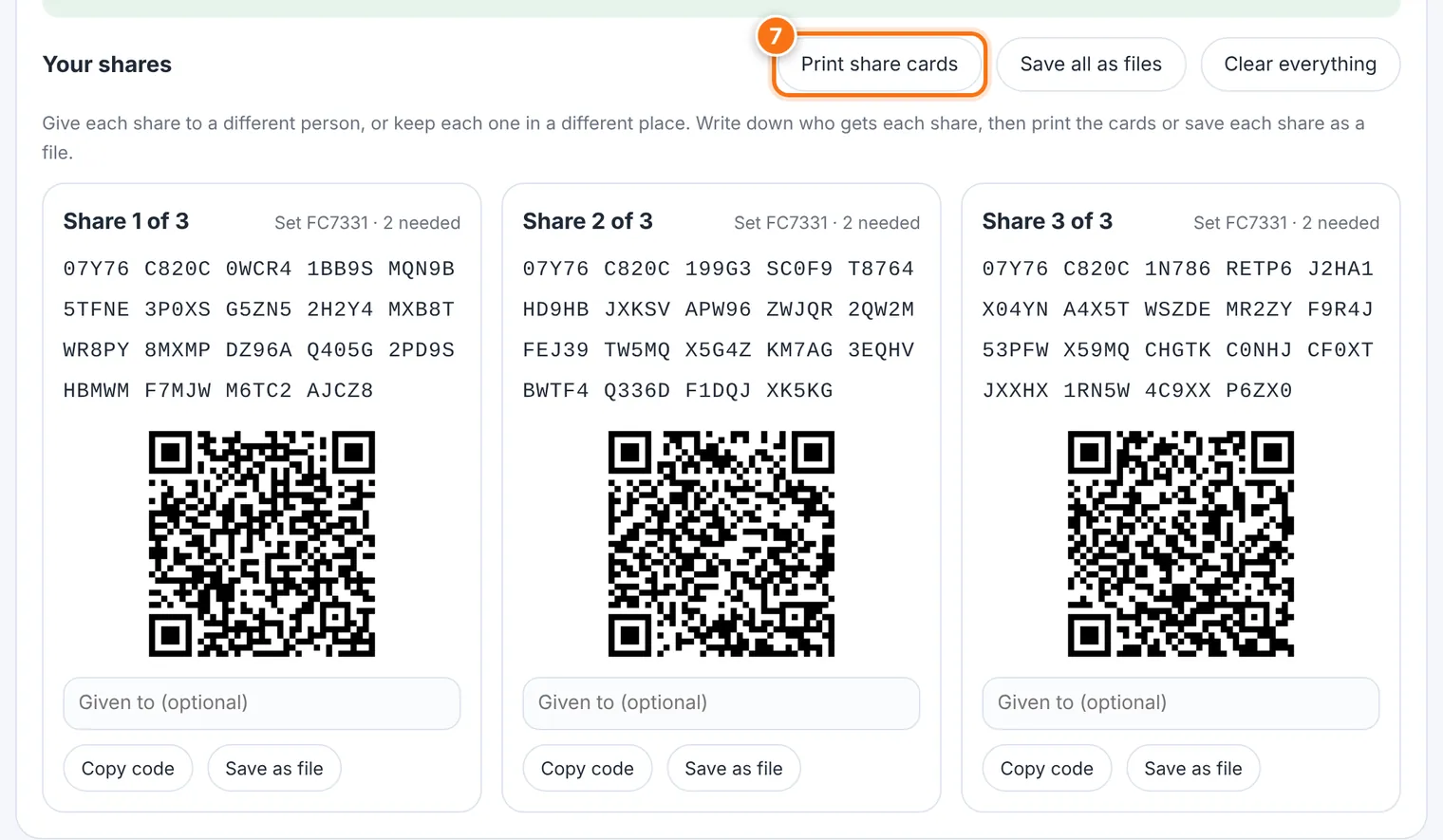
Choosing the numbers
| Setup | Good for |
|---|---|
| 2 of 3 | Forgiving: one share can be lost and you can still rebuild. |
| 3 of 5 | Harder for people to combine shares without you, and still survives two lost shares. |
| All shares needed | Only if you're sure none will be lost. Losing one means losing the secret. |
Rebuilding the secret
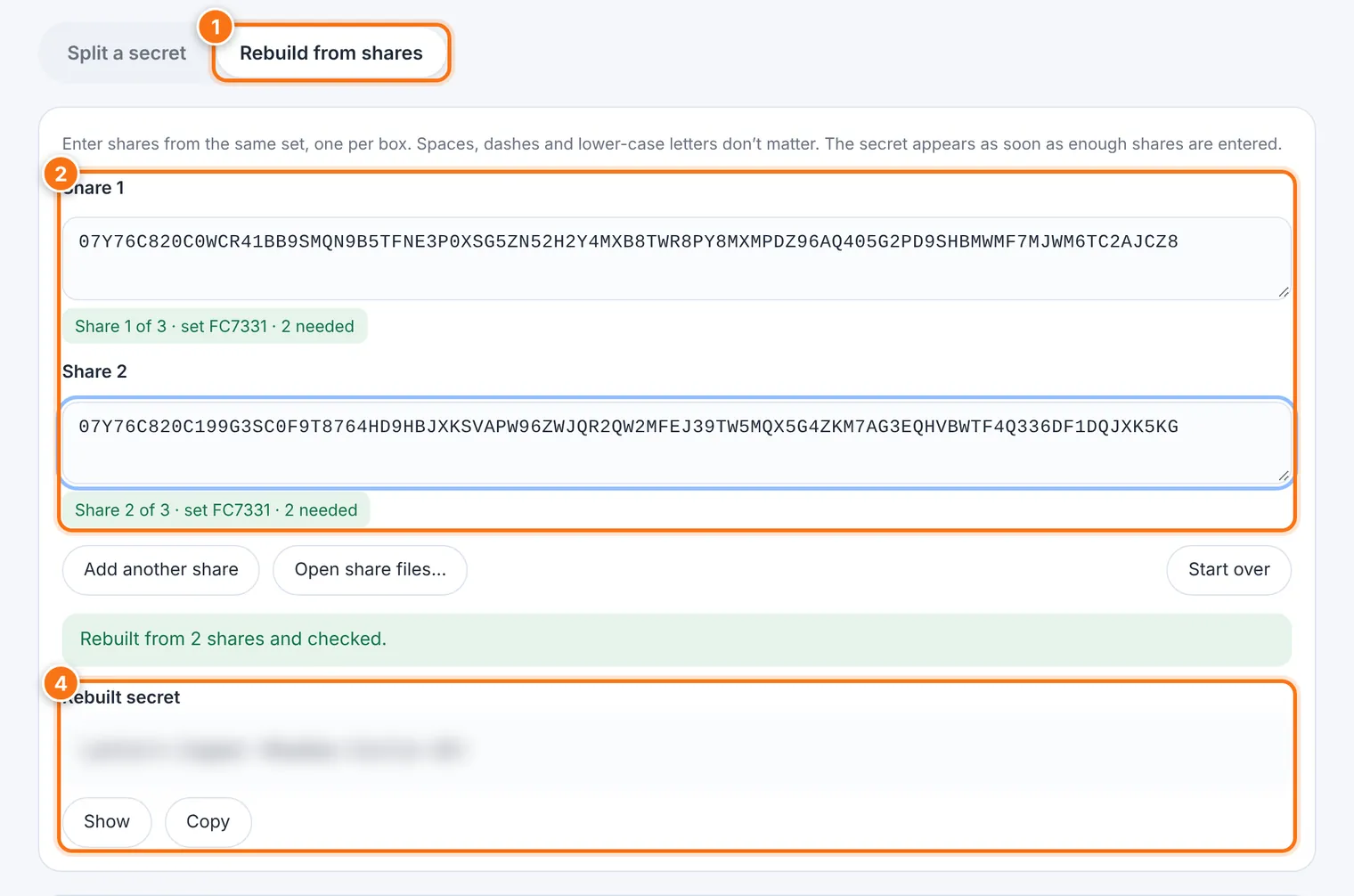
Choose the Rebuild from shares tab.
Type each share code into its own box. Spaces, dashes and small letters don't matter. Use Add another share for more boxes, or Open share files… for saved shares.
Each box shows whether its share is valid, which share it is, and which set it belongs to.
As soon as enough shares are in, the Rebuilt secret appears, checked. Use Show and Copy.
Start over clears everything.
Scanning a card's QR code with your phone shows the share code as text. Split's page can't read QR codes itself, so type the code in, or open a saved share file.
Using it well
Spread the shares out. Give each to a different person, or keep them in different places: a safe, a relative, your lawyer, a bank box. Never keep enough shares together in one place.
Keep sets apart. Shares from different splits can't be combined. A new split never updates old shares, so destroy the old ones when you replace a secret.
Write down who has which share, and keep that list somewhere separate.
What it does not do
Shares are only as safe as where you keep them. Anyone who collects enough of them can rebuild the secret.
It's for short secrets, like passwords and recovery phrases, not files. To protect a file, lock it with Encryption 1 and split its password.
Common problems
| Problem | What to do |
|---|---|
| "There's a typing mistake somewhere in this share" | Compare each group of five characters with the original card. |
| "These shares come from different splits" | Only shares with the same set ID work together. Find the matching shares. |
| "Share … was entered twice" | Enter a different share instead. |
| "… more are needed" | Enter more shares from the same set. |
| "These shares don't fit together" | One may be damaged, changed or copied wrongly. Try a different combination of shares. |