Part 2: Utilities
Chapter 18: Zip Beta
Beta. Zip is in public beta testing. Its wording and extra features may change. If something doesn't work as described, please tell us through the Contact & Bug Reports form.
What it does. Zip bundles files and whole folders into one ZIP file that any computer can open, or takes the files back out of a ZIP you received. It works anywhere, even on a computer where you can't install anything. Nothing is uploaded.
A ZIP is not locked. Anyone who gets the file can open it. For private files, use Pack instead, or lock the files with Multi-File first and then bundle the .pvault files here.
When to use it.
Sending many files as one attachment.
Bundling the .pvault files you made with Multi-File.
Opening a ZIP on a library, hotel or work computer.
The page has two tabs: Make a ZIP and Open a ZIP.
Making a ZIP
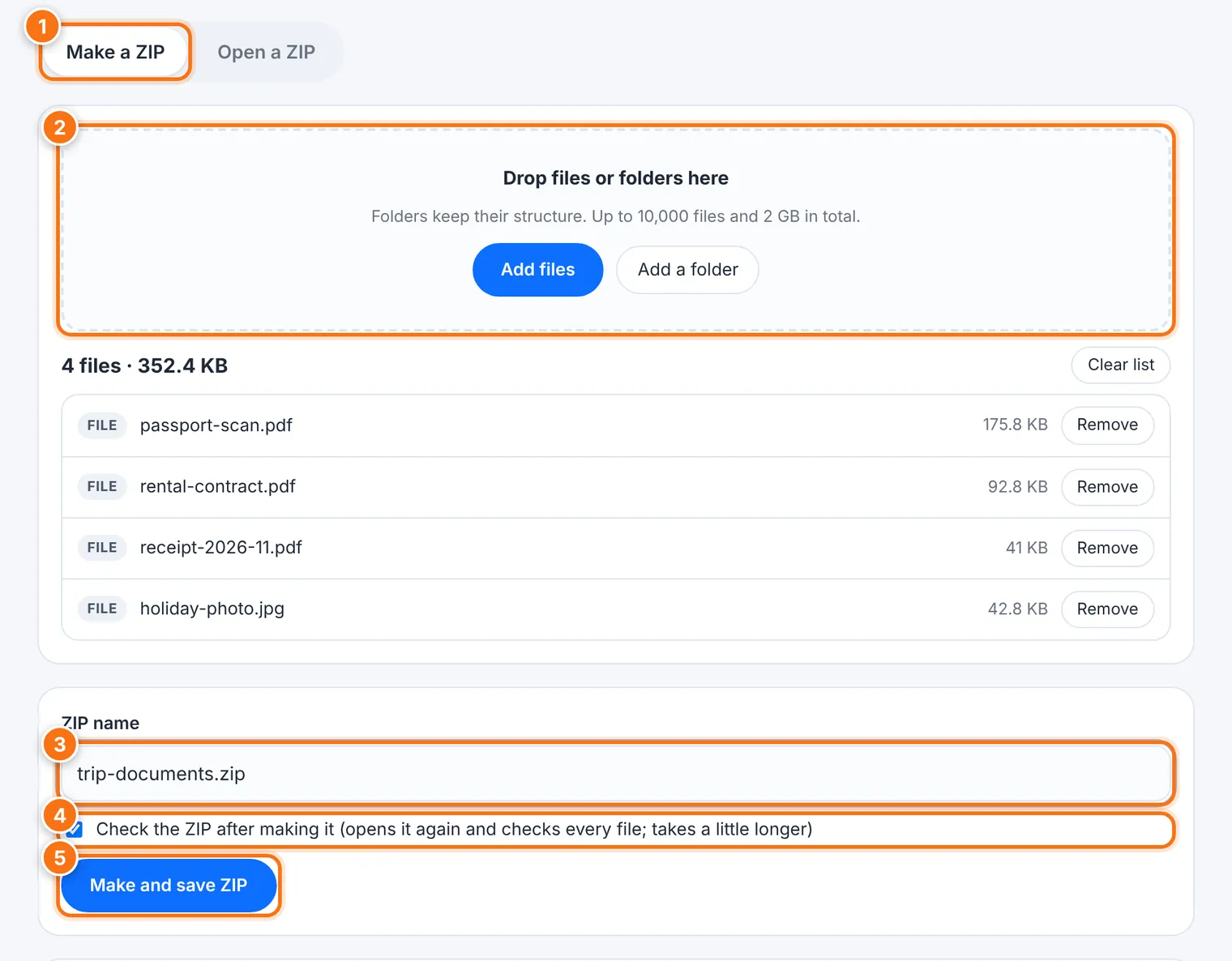
Choose the Make a ZIP tab.
Drop files or folders onto the box, or use Add files or Add a folder. Folders keep their structure. A ZIP can hold up to 10,000 files and 2 GB in total. Clear list starts over.
Check the ZIP name.
Leave Check the ZIP after making it ticked. Zip then opens the new ZIP again and checks every file.
Press Make and save ZIP. In some browsers, you'll be asked where to save it. Stop cancels.
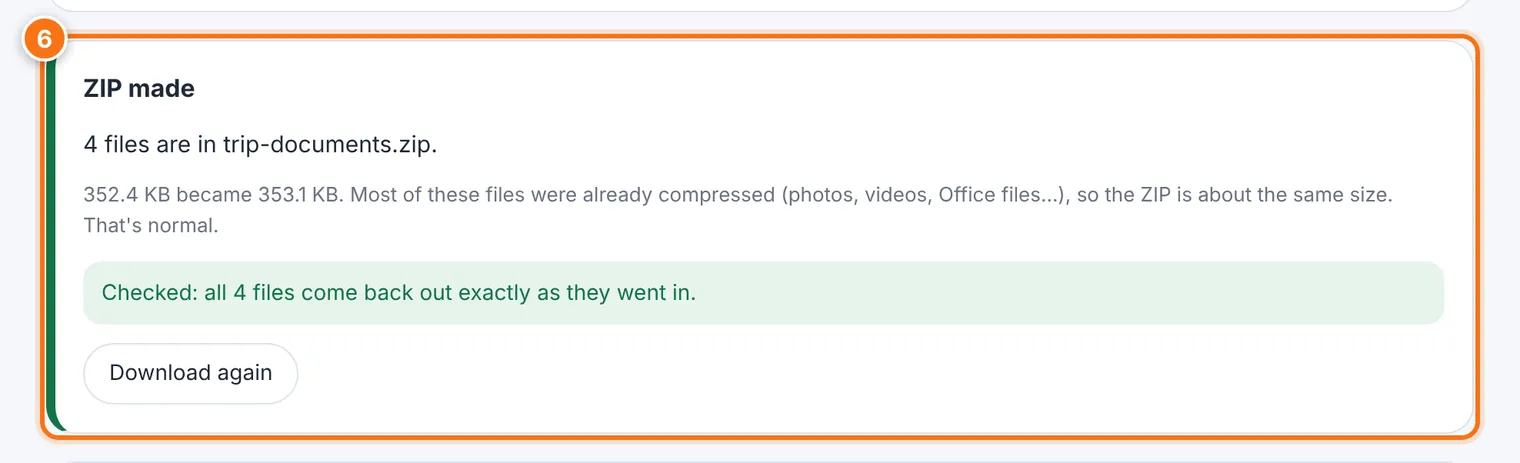
When you see ZIP made, it tells you how many files are inside and how much smaller it got. Photos, videos and Office files are already compressed, so a ZIP of those is about the same size. That's normal.
Opening a ZIP
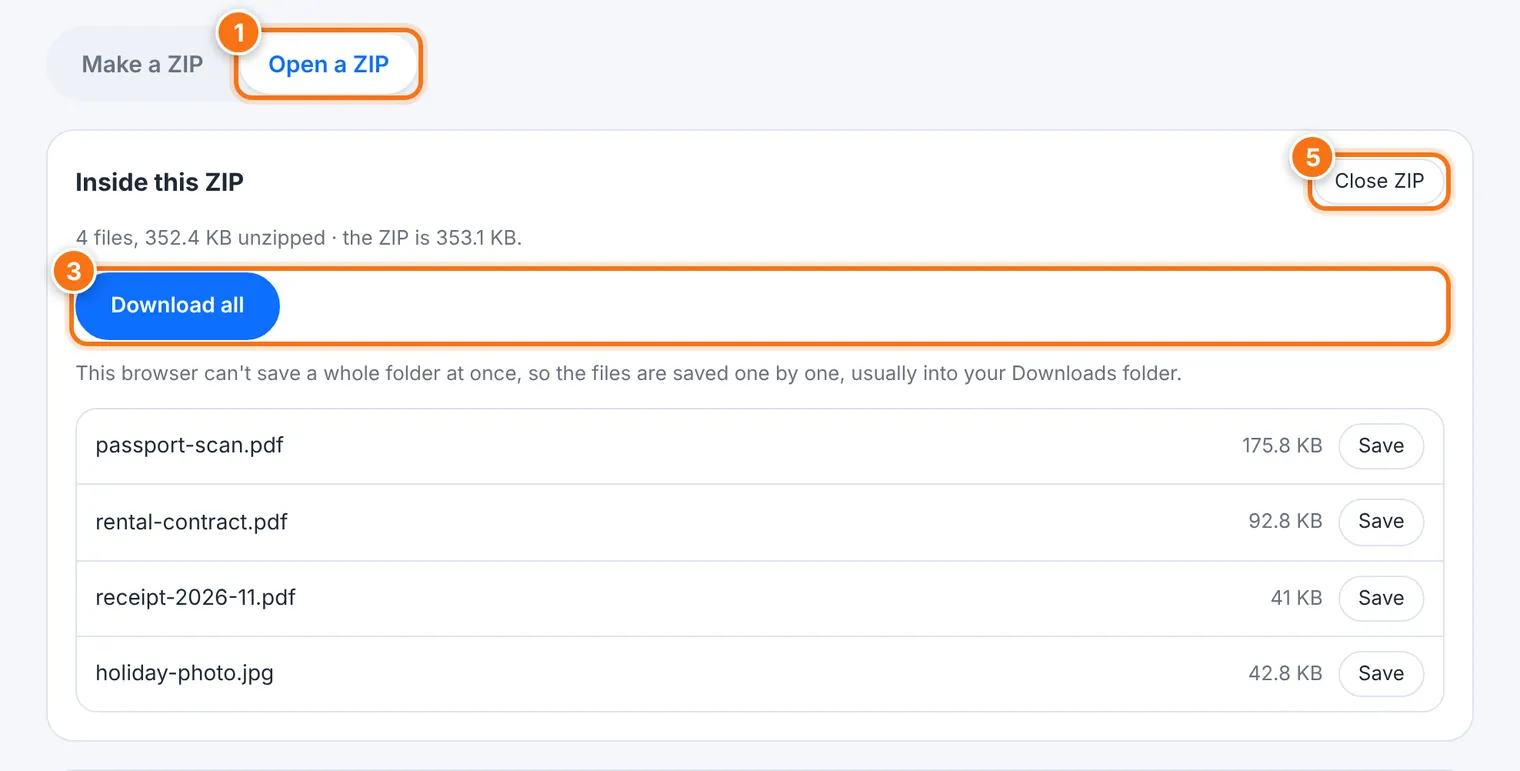
Choose the Open a ZIP tab.
Drop the .zip file onto the box, or press Choose ZIP.
Inside this ZIP lists the files. Choose how to save them:
Save all to a folder…: Zip makes a new folder, named after the ZIP, inside the folder you choose. Nothing already there is touched.
Download all: in browsers that can't save a whole folder, the files are saved one by one, usually into Downloads.
Save next to any single file.
Every file is checked against the ZIP's own checksum. A damaged file is reported and never saved.
Press Close ZIP when you're done.
File names are cleaned before saving, so nothing can escape the folder you chose or hide behind invisible characters.
What it does not do
It doesn't encrypt. A ZIP keeps files together, not private.
It can't open password-protected ZIPs, or ZIPs made with some 7-Zip compression methods. Use your computer's own unzip or 7-Zip for those.
Very large ZIPs may fail on phones or older computers, because the whole ZIP is kept in the browser's memory while it works.
Common problems
| Problem | What to do |
|---|---|
| "This ZIP is protected with a password" | Use your computer's own unzip, or a program such as 7-Zip. |
| "This is an encrypted Pack package" or "… Encryption 1 file" | It isn't a ZIP. Open it with Pack, or with Multi-File. |
| "This ZIP is damaged or incomplete" | If it was downloaded, download it again. |
| "The browser ran out of memory" | Try fewer or smaller files, or close other tabs. |
| "… is damaged inside the ZIP" | That file wasn't saved. Ask the sender for a new ZIP. |