Part 2: Make and Keep Secrets
Chapter 15: Forge
What it does. Forge makes strong passwords and memorable passphrases. Nothing is sent anywhere, and nothing is kept after you leave the page. It uses the same generator as the Generate button in Encryption 1, Multi-File and the Journal.
When to use it.
A new account, or changing a weak or reused password.
A master password for Vault, or a password for Encryption 1, Pack or Encrypted QR.
Anything you'll need to type by hand or say aloud: choose a passphrase.
The page has two tabs: Password and Passphrase.
Making a password
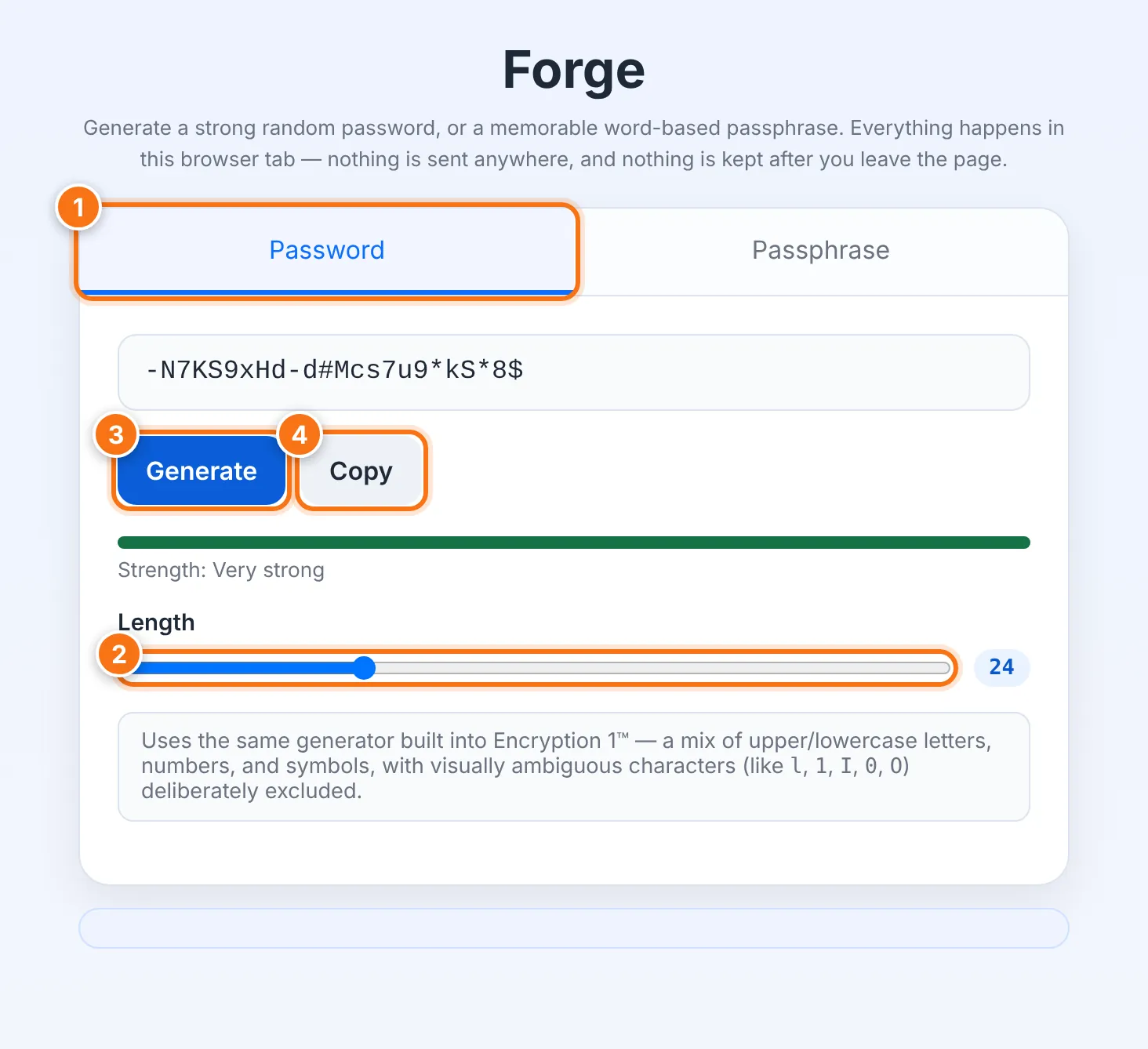
Choose the Password tab.
Set the Length with the slider, from 8 to 64 characters. The default is 24.
Press Generate. A strength bar shows how strong it is.
Press Copy.
Passwords mix capital and small letters, numbers and symbols. Characters that are easy to confuse, like 0 and O or 1 and l, are left out.
Making a passphrase
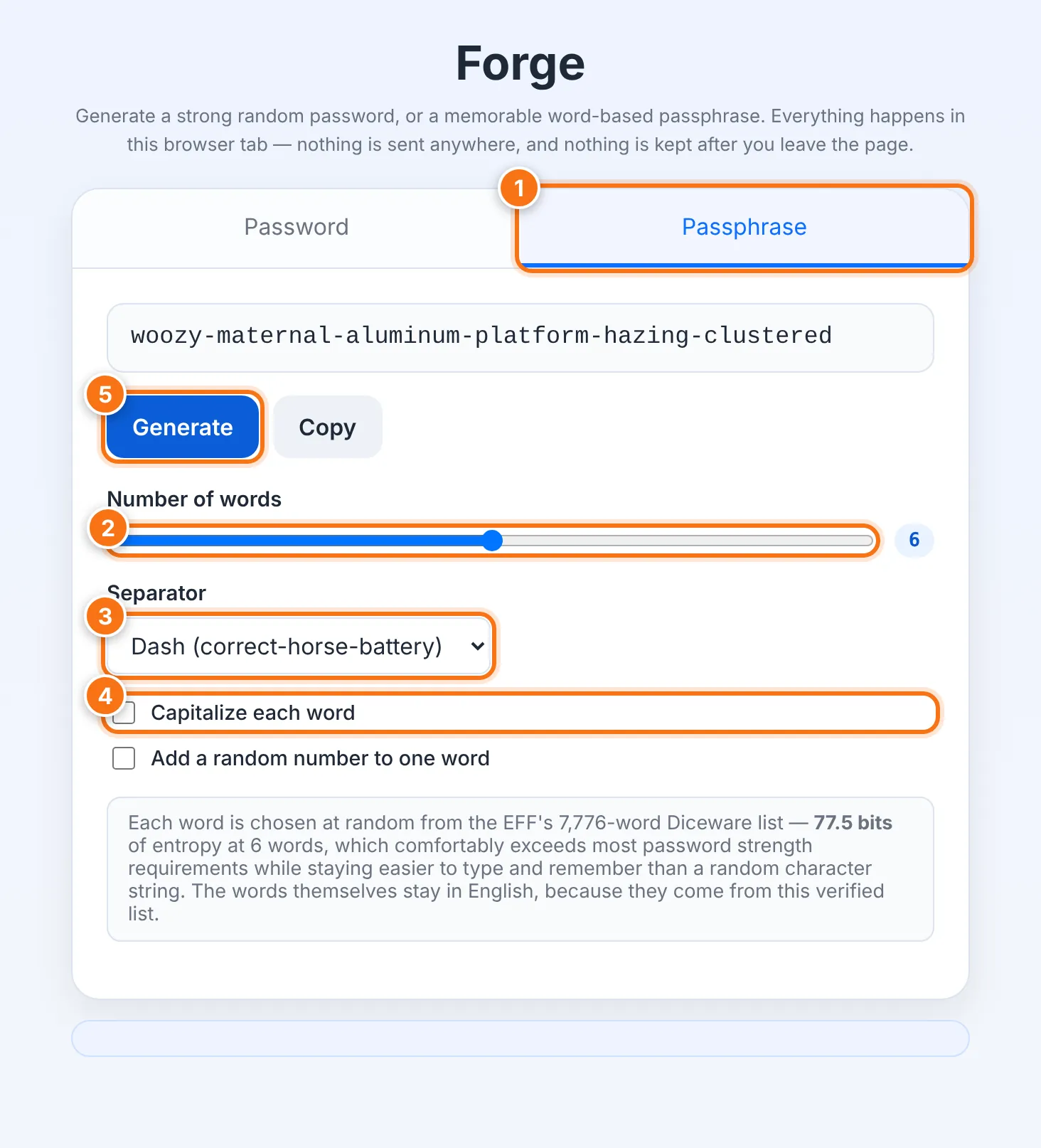
Choose the Passphrase tab.
Set the Number of words, from 4 to 8. The default is 6.
Choose a Separator: dash, space, dot or none.
If you like, tick Capitalize each word and Add a random number to one word.
Press Generate, then Copy.
Each word is picked at random from the EFF's list of 7,776 words. Six words are about as strong as a long random password, but much easier to type and remember. The word list is in English in every language version.
Password or passphrase?
| Choose | When |
|---|---|
| Password | You'll copy and paste it, or store it in Vault, and never type it yourself. |
| Passphrase | You'll type it by hand, say it on the phone, or need to remember it, such as a Vault master password. |
Keeping it safe
Save it right away, in Vault or another safe place. Forge forgets it when you leave the page.
If losing it would be serious, back it up with Split, which turns it into shares for people you trust.
Use a different password for every account.
What it does not do
It doesn't save or remember anything you generate.
It doesn't check whether a password you already use is safe.
Common problems
| Problem | What to do |
|---|---|
| "Could not copy automatically" | Select the text and copy it yourself. |
| A site won't accept the password | Some sites limit length or symbols. Make a shorter one, or a passphrase with no separator. |