Part 2: Clean It Before It Leaves
Chapter 9: Scrub
What it does. Scrub removes the hidden details that files carry about you. Photos can hold the GPS location where they were taken, precise to the building, plus the camera or phone and the date. Documents can hold the author's name, the company and other details. Scrub makes a clean copy with those details removed, and leaves the picture or the document's text unchanged.
When to use it.
Before posting a photo online or sending it to someone you don't know well.
Before sending a document outside your organization.
Before sharing a photo with Burn, or locking it with Encryption 1.
Works with: photos (JPEG, PNG, HEIC) and documents (Word DOCX, Excel XLSX, PowerPoint PPTX, OpenDocument ODT, ODS and ODP, and PDF). Up to 5 files at a time, 25 MB each.
Scrubbing files
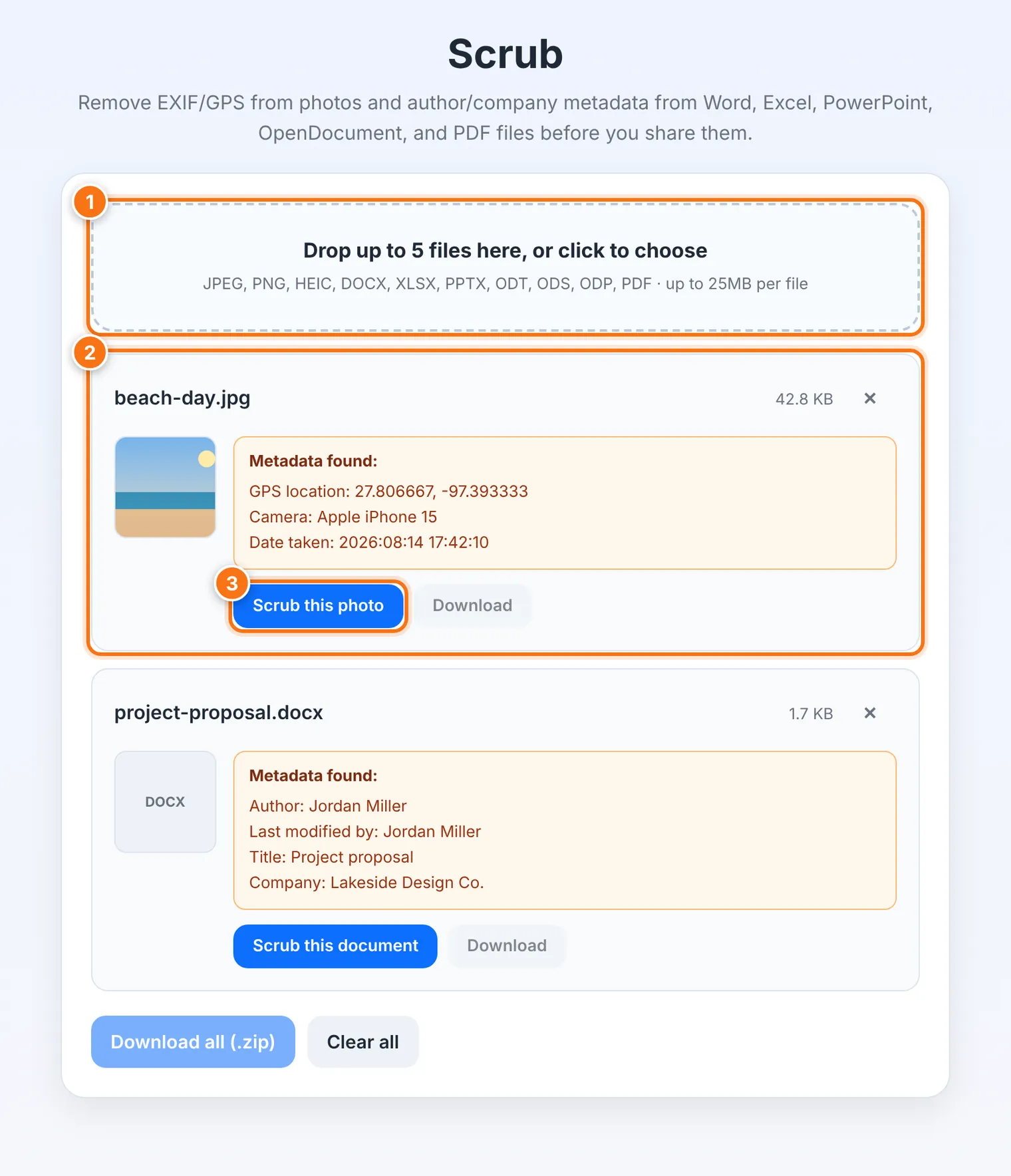
Drop up to 5 files onto the box, or click it to choose them.
For each file, Scrub lists what it found under Metadata found: for example Author, Company, Camera, Date taken or GPS location. If there's nothing, it says so.
Press Scrub this photo or Scrub this document.
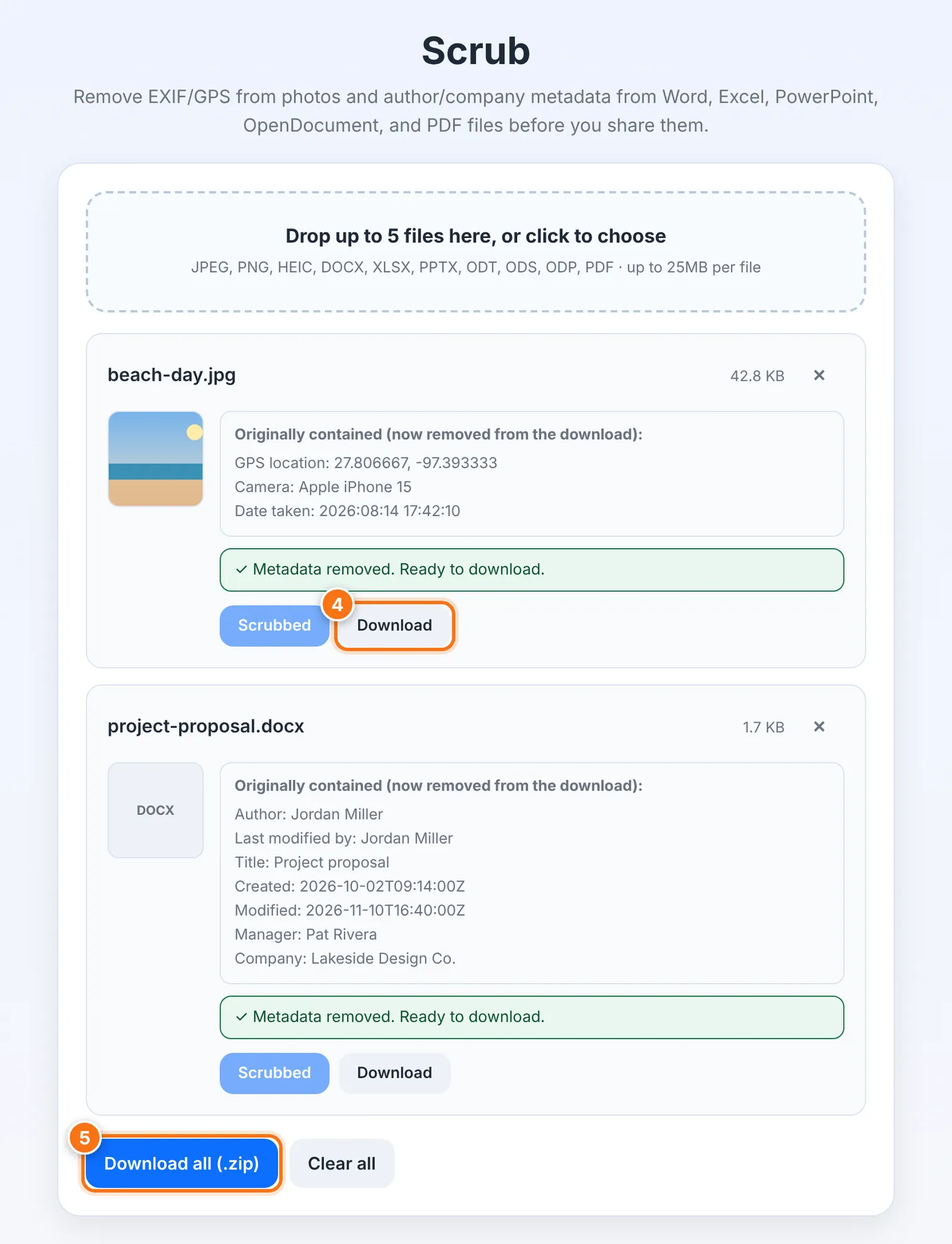
When you see Metadata removed. Ready to download, press Download. The clean copy has -scrubbed added to its name, so your original is never touched.
For several files, use Download all (.zip). Clear all starts over.
HEIC photos (the iPhone's usual format) come back as JPEG files, which every device can open.
What it does not do
It doesn't remove everything inside a document. Comments, tracked changes and earlier versions saved inside a Word or PowerPoint file can stay. Before sharing, accept or reject all changes and delete comments in your word processor.
It doesn't change what you can see. A name on a badge or a street sign in the picture is still there. To hide those, use Redact (Chapter 10).
It doesn't lock the file. Anyone can open the clean copy. To lock it, use Encryption 1.
Common problems
| Problem | What to do |
|---|---|
| "… isn't a supported type" | Scrub works only with the file types listed above. For other files, there's no metadata Scrub can remove. |
| "… is over the 25MB limit" | Use a smaller copy of the file. |
| "Limit reached (5 files)" | Remove a file, or scrub the rest in a second round. |
| "HEIC support failed to load" | Convert the photo to JPEG first, or try another browser. |
| "No readable metadata found" | The file is already clean. You can share it as it is. |